


Redmi Note 10S Has A Carrier Variant MIUI Global Firmware Which Disables The Second Sim Slot Completely. How Can I Get It To Work?


SheerInstinct

Members
11 Oct 2026
3
3
Hey guys. This phone comes with an official carrier(Vodacom) MIUI Global version which is 14.0.3.0(TKLZAVC). This is the most up to date version for this carrier variant. I see that the most recent MIUI global version available is 14.0.11.0.TKLMIXM

My Problem: This carrier version disables the use of the second sim slot completely. I know that this phone is dual sim capable
  • It has it's two IMEI numbers on the label at the back of the phone
  • Dialing *#06# only displays one IMEI. Same with checking About Phone>Detailed info and specs>Status>IMEI
  • The carrier has made the sim tray one sim only
  • The sim tray cut-out for the second sim is covered/sealed
  • I have bought a new dual sim tray for it and tested my sim on the side that was blocked and it still does not work

The solution I'm seeking: Can I use MI Unlock to unlock the bootloader and then flash the newest global MIUI firmware (14.0.11.0.TKLMIXM) with Mi Flash to enable both sim slots?

The concern: If I can get the global rom installed, I would need the bootloader locked again due to the use of banking apps.
But because this phone has the South African Vodacom Carrier Variant 14.0.3.0(TKLZAVC) and it's not just a region variant, does it effect weather the bootloader can be safely locked after switching to the global rom without bricking the phone?

Note: I have two Redmi Note 10S phones both never messed with from new. Both running official carrier(Vodacom) MIUI Global version 14.0.3.0(TKLZAVC)
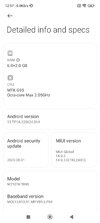
 

Attachments

  • Screenshot_2026-10-11-12-57-33-997_com.android.settings.jpg
    Screenshot_2026-10-11-12-57-33-997_com.android.settings.jpg
    211.7 KB · Views: 31
Hey guys. This phone comes with an official carrier(Vodacom) MIUI Global version which is 14.0.3.0(TKLZAVC). This is the most up to date version for this carrier variant. I see that the most recent MIUI global version available is 14.0.11.0.TKLMIXM

My Problem: This carrier version disables the use of the second sim slot completely. I know that this phone is dual sim capable
  • It has it's two IMEI numbers on the label at the back of the phone
  • Dialing *#06# only displays one IMEI. Same with checking About Phone>Detailed info and specs>Status>IMEI
  • The carrier has made the sim tray one sim only
  • The sim tray cut-out for the second sim is covered/sealed
  • I have bought a new dual sim tray for it and tested my sim on the side that was blocked and it still does not work

The solution I'm seeking: Can I use MI Unlock to unlock the bootloader and then flash the newest global MIUI firmware (14.0.11.0.TKLMIXM) with Mi Flash to enable both sim slots?

The concern: If I can get the global rom installed, I would need the bootloader locked again due to the use of banking apps.
But because this phone has the South African Vodacom Carrier Variant 14.0.3.0(TKLZAVC) and it's not just a region variant, does it effect weather the bootloader can be safely locked after switching to the global rom without bricking the phone?

Note: I have two Redmi Note 10S phones both never messed with from new. Both running official carrier(Vodacom) MIUI Global version 14.0.3.0(TKLZAVC)
You can test it here if its being shown as global

and

it should be fine to go on global version though, sadly theres no way to download a TKLZAVC ROM
 
You can test it here if its being shown as global

and

it should be fine to go on global version though, sadly theres no way to download a TKLZAVC ROM
I've gone and checked the version as suggested, it says official international version. Result attached. Yes, unfortunately no TKLZAVC rom available online, it's part of my concern because if I brick it then it may be difficult to go back. I did use MTKClient to create a backup of all partitions except the userdata partition.

I'm hoping that someone here has info about locking the bootloader in this case where its specifically going from official carrier variant rom to official global rom and whether it will be a success or result in boot loop/your system has been destroyed error
 

Attachments

  • Screenshot 2026-10-12 185619.png
    Screenshot 2026-10-12 185619.png
    31.1 KB · Views: 28
Wow you're a legend, thanks!

Now if it gets bricked after attempting the bootloader lock on the global firmware, can I go into fastboot and If I never closed MiUnlock, will it unlock the bootloader again, if not possible or fastboot cant be accessed (I know MTK isn't something that's discussed here, but maybe you know) use MTKUtility to access the phone in BROM mode then disable the bootloader there?

Otherwise use my carrier version partition backup which I did through MTKUtility and re-write everything except userdata partition back to the phone?

Apologies, I've not done this in years. I'm hoping you are able to advise further on recovery methods that you may be familiar with